
How to Identify Sneakers From a Photo (and What They’re Worth)
Find the exact model, colorway and release of any sneaker, from the style code on the tag to visual clues, plus how to read its resale value range.

You found a pair at a thrift store, inherited a box from a friend, or spotted something clean on someone’s feet and need to know what it is. Before you can figure out what a sneaker is worth, you need its exact identity: not just “a Jordan 1”, but the model, the height, the colorway and ideally the release.
This guide covers three ways to get there, from the most precise to the fastest.
Why the exact model matters
Two pairs that look almost the same can be worth very different amounts. A Jordan 1 High, Mid and Low share a silhouette family, but resale prices can differ by hundreds of dollars. The same goes for colorways: a general release and a limited collab on the same model can be worlds apart.
So the goal is to land on four things:
- Brand and model: e.g. Nike Air More Uptempo
- Colorway: e.g. White/Black
- Category: basketball, running, lifestyle, skate
- Release info: year, and whether it was a general release or limited
Once you have those, checking the value is straightforward.
Method 1: Read the style code on the size tag
This is the most reliable method when the tag is still readable.
Almost every major brand prints a style code (also called a SKU or article number) on a tag inside the shoe. It identifies the exact model and colorway, which is why resellers use it to list pairs.
Where to find it
| Brand | Where to look | What the code looks like |
|---|---|---|
| Nike & Jordan | Tag on the inside of the tongue | Six characters, a dash, three digits, e.g. DD1391-100 |
| Adidas | Tag on the inside of the tongue | Two letters and four digits, e.g. GW2871 |
| New Balance | Tag on the inside of the tongue | Model number plus a color suffix, e.g. ML574EVG |
| Converse | Inside the tongue or on the heel lining | Letter and digits, e.g. M9160 |
On Nike and Jordan tags, the three digits after the dash are the color code: the first part identifies the model, and the last three digits change from one colorway to the next. Many recent Nike tags also print a manufacturing date range, which helps you place the release year.
How to use it
Type the full code, dash included, into a search engine. The top results will usually show the official name and colorway. Add “release date” to the search to confirm the year.
When this fails: tags fade, get cut out or wear away completely, especially on older or well-worn pairs. If you can only read part of the code, the visual method below will fill the gaps.
Method 2: Identify it by eye
No tag? Work through the shoe from the ground up. Each of these narrows the list of possible models.
- Height. Low, mid or high cut? For many silhouettes (Jordan 1, Dunk, Blazer) the height alone splits the model into different products.
- Midsole technology. A visible Air window, a chunky foam stack, or a textured foam midsole are all strong brand and model signals.
- Logo size and placement. Swoosh size, a Jumpman on the tongue versus a wings logo on the collar, three stripes versus a printed logo: placement often dates a pair too.
- The outsole. Flip it over. Tread patterns are very model-specific, and many outsoles print the brand or tech name.
- Heel and tongue branding. Embroidered text, heel tabs and tongue labels often name the model outright.
- Materials and colors. Once you know the model, the exact color blocking and materials (tumbled leather, suede, mesh) point you to the colorway.
This works, but it takes practice, and the difference between two colorways can come down to a shade of grey you can’t judge in bad lighting.
Method 3: Scan it with your phone
The fastest option is to let AI do the comparison for you. With Sneaker Identifier & Value, you take one photo and get the brand, model, colorway, category and an estimated resale value back in seconds.
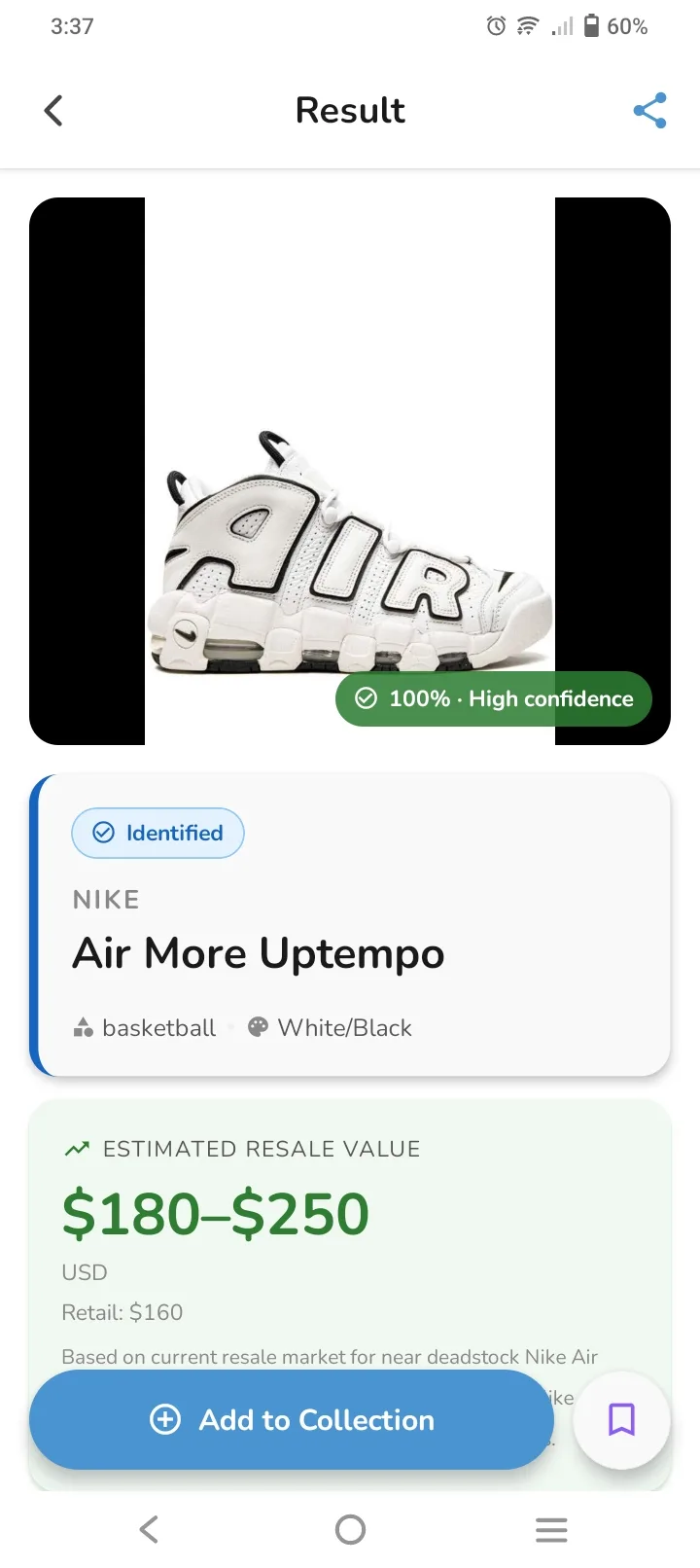
Here’s what a result shows you:
- Brand and model: Nike, Air More Uptempo
- Category and colorway: basketball, White/Black
- Confidence score: how sure the match is (100% here)
- Estimated resale value: $180–$250
- Retail price: $160, so you can see straight away that this pair resells above what it cost new
Get a better match with a better photo
The AI compares your photo against thousands of silhouettes and colorways, so a clear photo gives a clearer answer:
- Shoot the side profile. The outer side of the shoe shows the most identifying detail.
- Use good light. Daylight from a window beats a flash, which flattens colors.
- Keep the background plain. A floor, table or wall works fine.
- Fit the whole shoe in the frame, from toe to heel.
- Wipe off heavy dirt that hides logos or colors.
If the confidence score comes back low, take one more photo from a slightly different angle. That usually settles it.
How to read the resale value range
A sneaker doesn’t have one price; it has a range, and the gap between the low and high end tells you something.
The value is shown as a min–max range for a reason. Real sale prices for the same model and colorway vary with:
- Size. Very common and very rare sizes sell at different prices.
- Condition. Deadstock (new, unworn) pairs sit at the top. Worn pairs sit lower.
- Box and extras. The original box, spare laces and tags all add value.
- Timing. Prices move after restocks, retros and hype cycles.
As a rule of thumb, start near the top of the range if your pair is new or barely worn with the box, and nearer the bottom if it’s clearly worn. Compare the range with the retail price too: if resale sits well above retail, you’re holding something the market wants.
For high-value pairs, use the range as your starting point and check recent completed sales before you buy or sell.
Keep track of what you own
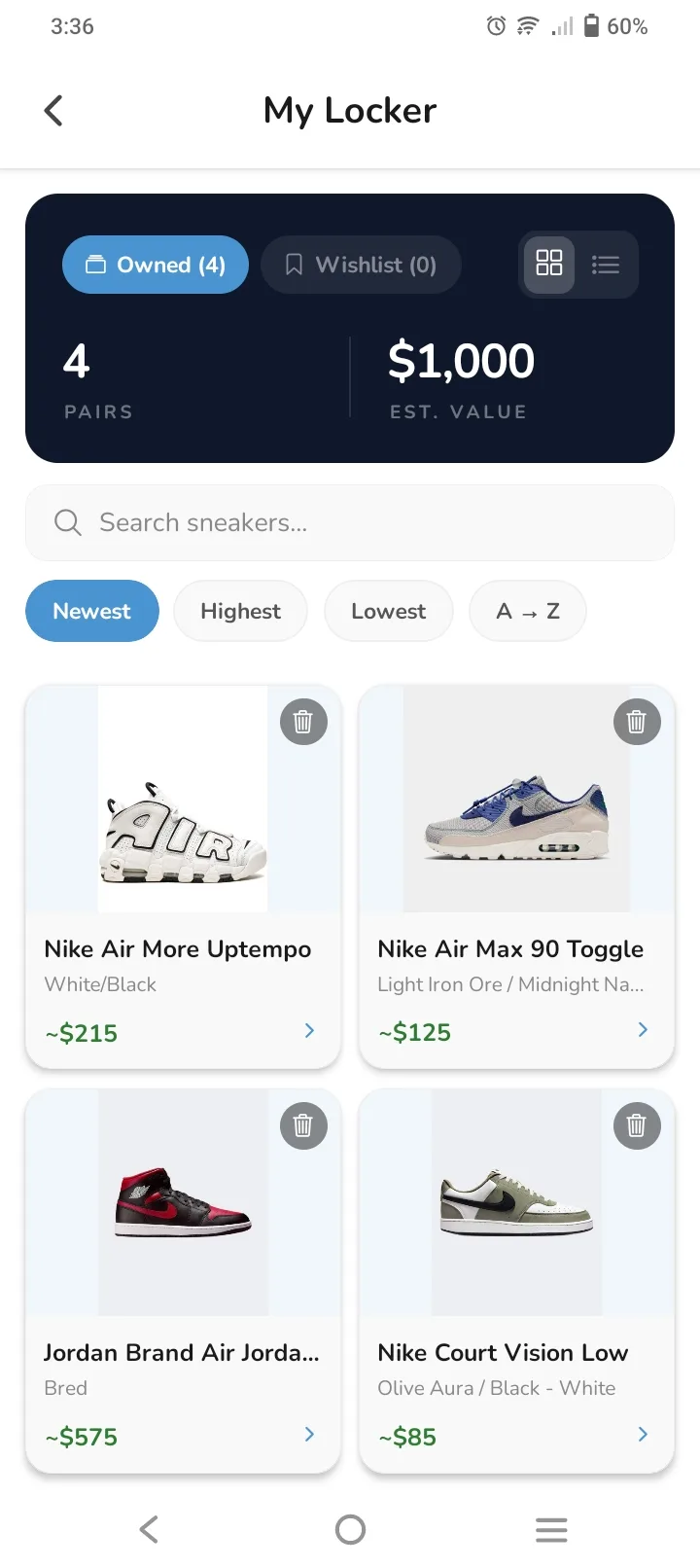
Once you’ve identified a pair, save it. Every scan in Sneaker Identifier & Value can go straight into your locker, which adds up the estimated value of your whole collection. Pairs you’re still hunting go on your wishlist, and you can move them to your locker the moment you cop.
Quick recap
- Tag readable? Search the style code. It’s the most precise answer.
- No tag? Work through height, midsole, logos, outsole and branding.
- Want it in seconds? Scan it, check the confidence score, and read the resale range against the retail price.
Got a pair you can’t name? Scan it with Sneaker Identifier & Value and find out what it is and what it’s worth.